
Point of sale for cafés, restaurants and anything that prepares orders

The register, the kitchen and the customer, connected.

Take payment at the counter or the table, get orders online or from the drive-thru lane, prep with live order tickets and reward the people who come back. One system, no per-order fees.

  • Works offline
  • Set up in a day
  • From $500 MXN a month
Drive-thru · today
Order#047Code 7KQ9
14:3200:00

Valeria

Red Mazda 3

  • 1×Classic latte22 oz$110

    + Oat milk · Vanilla

  • 2×Cinnamon roll$130

    “Nice and warm, please”

Total
$240.00
VerifyTransfer · $240

ID 7KQ9XM · Thanks for your order
NEXO POS

Received

Scroll to prepare the order

CafésRestaurantsTaqueriasDrive-thrusPizzeriasBakeriesSushiJuice barsFood trucksDinersBarsIce cream shopsDark kitchens CafésRestaurantsTaqueriasDrive-thrusPizzeriasBakeriesSushiJuice barsFood trucksDinersBarsIce cream shopsDark kitchens

Product

One system, three sides.

The register to take payment, the bar or kitchen to prepare, and the customer ordering from their table, their car or their home. What happens in one shows up in the others instantly.

Register

Take payment at the counter with cash, bank transfer, card terminal or online card. Open tabs by table, discounts, coupons and printed receipts.

Bar

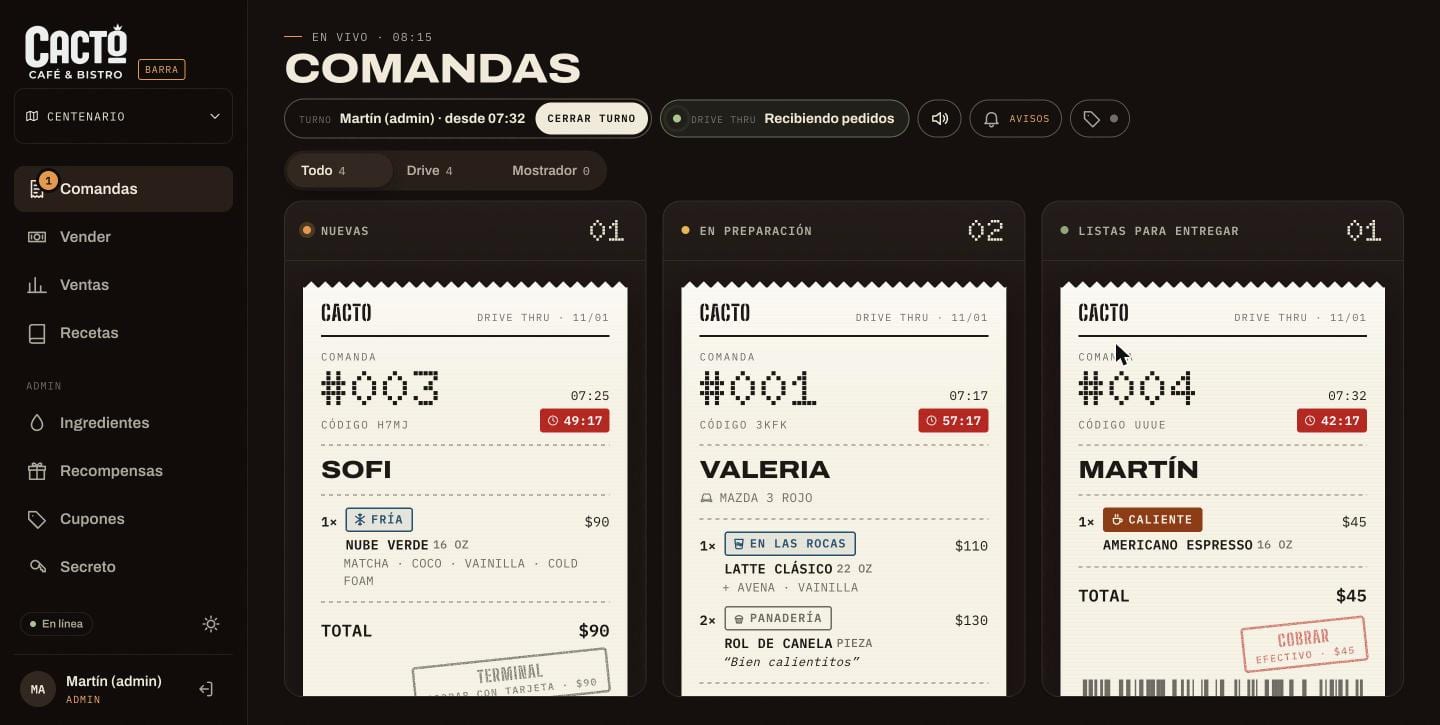
A live order board for the bar or kitchen, with sound, wait times and one tap to move each order along. Stickers and thermal printing.

Orders

Customers scan a QR code at the table or in the drive-thru lane, or come in from your website, build their order, pay however they like and follow it live from their phone.

Loyalty

Points for what they spend, a stamp per visit and coupons redeemed with a QR code. Regulars come back on their own.

Sales and cash-outs

What you sold today, by shift and by location, with cash-out, refunds and a CSV for your accountant.

How it works

One order, start to finish.

  1. The customer orders from their table or carThey scan the QR code, type their name and build their order. They pay however they like.
  2. The ticket shows up at the bar or kitchenA chime plays and the glass ticket appears under “New” with its wait time.
  3. One tap to prepare itThe bar moves it to “Preparing”; the customer sees it instantly on their phone.
  4. Ready for pickupA phone alert, a stamp and points for the customer, and the day’s cash-out puts itself together.

Alacena · inventory

The pantry counts itself.

Optional, per location. Every ingredient lives in its real container (jar, jug, box, tray or pack), every sale deducts what its recipe used, and Alacena warns you before you run out.

  1. Count once, not every dayA quick count per ingredient. From then on, every delivered order deducts milk, coffee, cups and lids according to its recipe.
  2. How long it lasts, in daysFrom what you sell each day, it knows how much you have left: “Coffee beans: 3 days”, not “2,100 g”.
  3. A heads-up before you run outA phone alert when an ingredient turns “soon” or “urgent”, and a summary every morning with what to order.
  4. Orders in one tapEvery supplier with their contact. The suggested order comes ready on WhatsApp or email, and goes out only if you send it.

All included

No extra modules, no hidden fees.

All of this comes with every plan. There’s no “basic” version.

  • Four ways to payCash, bank transfer, card terminal and online card.
  • Thermal printersReceipts and stickers over USB or Bluetooth, 58 and 80 mm.
  • Works offlineThe register keeps taking payments and syncs when the connection is back.
  • Multiple locationsEach with its own menu, team, QR code and sales.
  • Team and permissionsAdmin and bar, with permissions by area and who charged what.
  • Shifts and cash-outsOpen and close shifts with a cash float; the cash-out builds itself.
  • CouponsPrinted or in the app, with a code, an expiry date and a minimum purchase.
  • Secret menuPassword-protected campaigns for your regulars.
  • Phone alerts“Your order is ready”, even with the phone locked.
  • Customer QR codeAdd points and stamps at the counter with one scan.
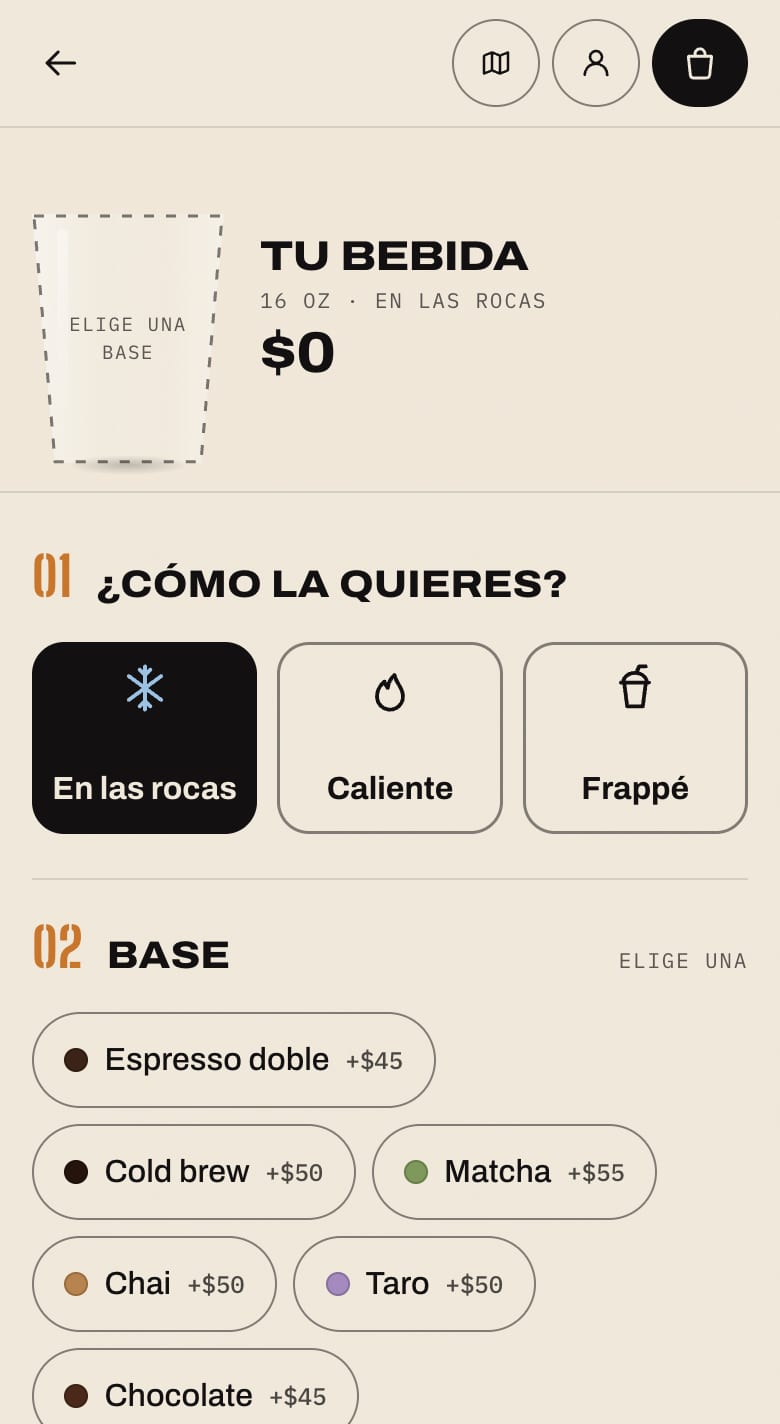
  • Build your drinkCustomers build their drink in layers: base, milk, flavors and toppings.
  • AlacenaInventory that deducts itself, with alerts and supplier orders.
  • Detailed salesBy day, shift and location; full or per-item refunds.

Pricing

One clear price, no per-order fees.

Month to month, everything included. Choose based on whether your business already has a website or you want your own app with your brand.

Does your business already have a website?
For you

NEXO

The whole system

$0/mo

Register, bar, orders and loyalty on the NEXO platform. Your QR codes and order button connect to the website you already have.

  • Register, bar and drive-thru orders
  • Loyalty: points, stamps and coupons
  • Sales, cash-outs and printers
  • Multiple locations
  • Direct support from us

30 days free · no charge today

NEXO + Website

Everything, plus your site

$0/mo

Everything in NEXO, plus a page for your business with your menu, hours, location and the order button. No existing website needed.

  • Everything in NEXO
  • Business page ready in a day
  • Menu and hours always up to date
  • A link for social media and Google
  • Direct support from us

30 days free · no charge today

Your own brand

Your app, with your name

$0one time

+ $0/mo

We design your bar app, your ordering app and your website with your brand, your icon on the phone and your domain. The monthly fee covers hosting, maintenance and updates.

  • App and website with your identity
  • Your icon on the phone’s home screen
  • Your domain and your notification email
  • Copy and alerts in your voice
  • Priority for support and improvements
Let’s talk on WhatsApp

Prices in Mexican pesos. Online card payments carry the processor’s fee (Stripe or Mercado Pago), not NEXO’s.

Your own brand · case study

This is what it looks like when it’s your app: Cacto Café & Bistro.

A café with a drive-thru in Navojoa, Sonora. We built their website with a 3D cup that blends as you scroll, their app for ordering from the drive-thru lane and their bar with thermal tickets, stickers, printing and loyalty. To their customers it’s Cacto, not NEXO.
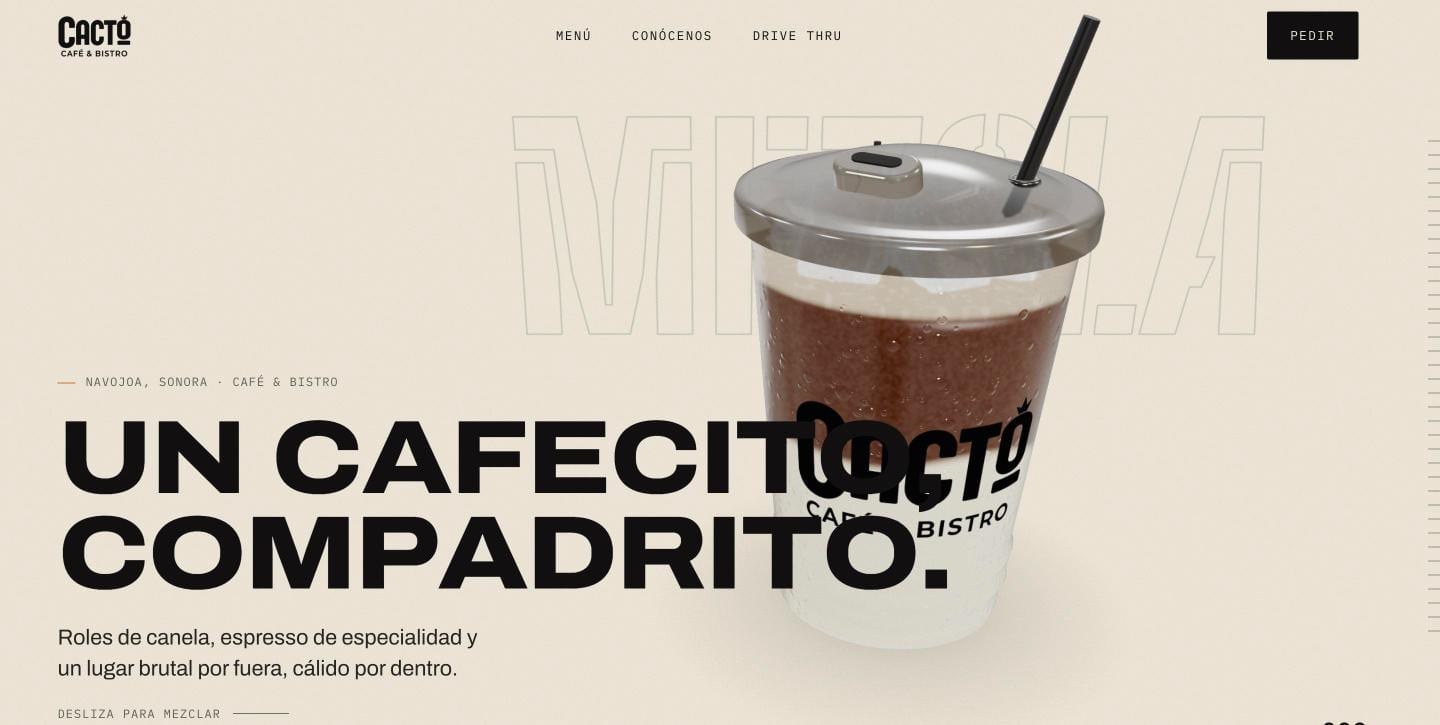
Cacto Café & Bistro landing page with the 3D cup
cactocafe.comLanding page with a 3D cup and warm brutalism
Cacto’s bar: board of thermal order tickets
Bar · live orders
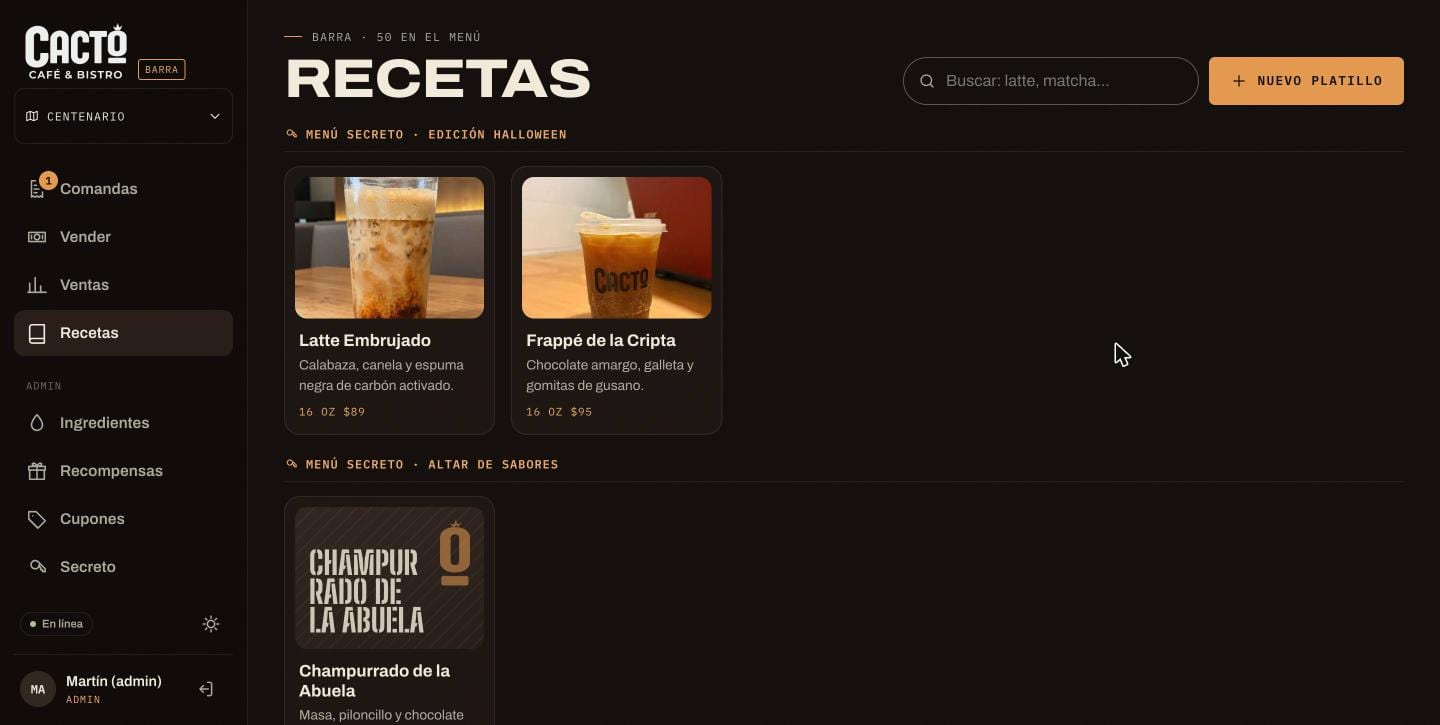
Cacto’s recipes with their secret menus
Recipes and secret menu
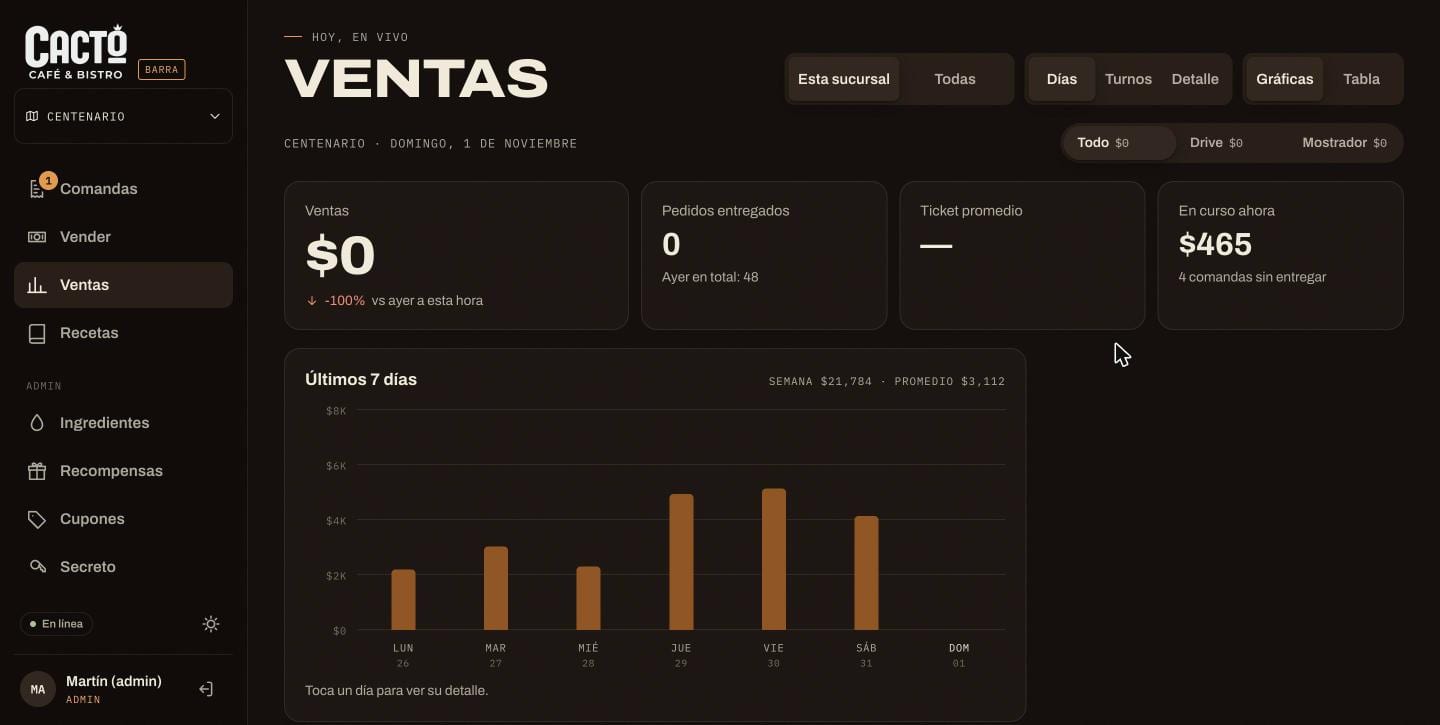
Cacto’s sales and cash-outs
Sales and cash-outs
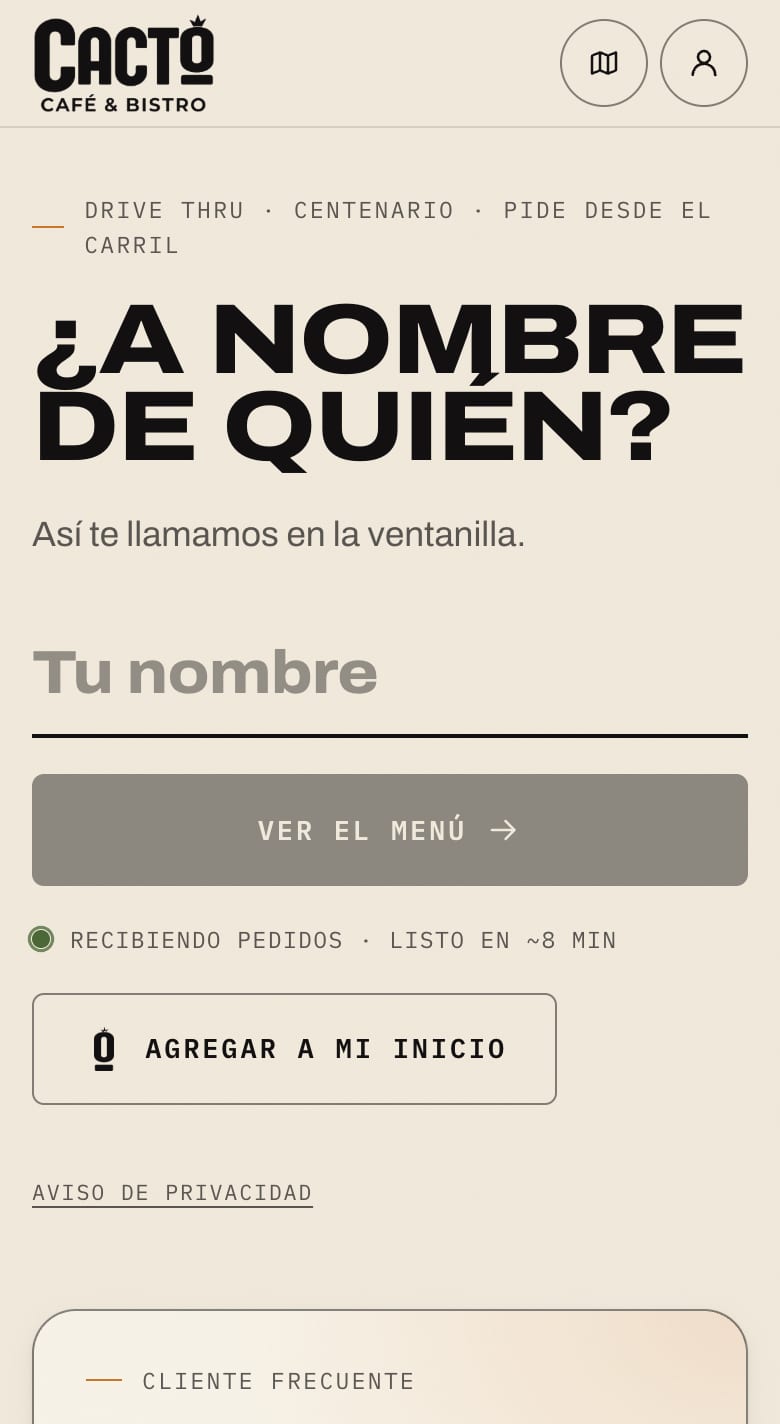
Cacto’s ordering app: home
Ordering · home
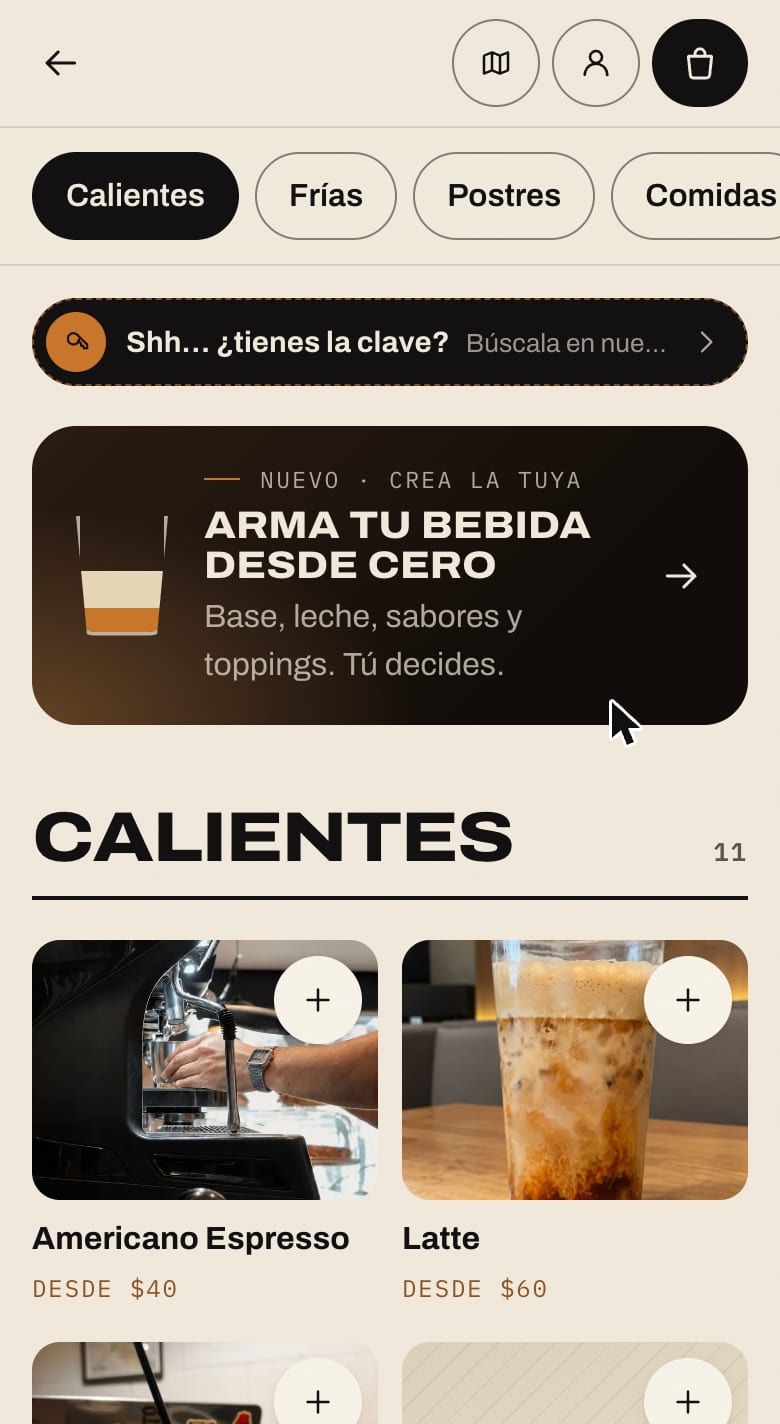
Cacto’s ordering app: the menu
Ordering · the menu
Cacto’s ordering app: build your drink
Build your drink in layers
Visit cactocafe.com

Your brand, your colors and your voice. We bring the system.

How we get started

From the first call to the first sale.

  1. 01Tell us about your businessWhat you sell, how many locations you have and how you take payment today. A 20-minute call.
  2. 02We load your menu and your teamDishes or drinks, sizes, extras, photos and who does what. You just review.
  3. 03Your QR codes on the tables or in the lane, and your link on the webWe send you print-ready QR codes and the button for your website or social media.
  4. 04You start sellingThe bar signs in with its account, opens a shift and the first ticket comes in on its own.

FAQ

What people ask us before getting started.

Do I need to buy special equipment?

No. The bar, the kitchen and the register run on any tablet or computer with Chrome. If you want printed receipts, any regular thermal printer over USB or Bluetooth will do.

What happens if the internet goes down?

The register keeps taking payments and saving sales on the tablet. As soon as the connection is back, everything syncs on its own and the tickets are recorded in order.

How do my customers pay?

Cash at pickup, bank transfer with your details on screen, a card terminal at the window or online card. Card payments go to your account, not ours.

Do my customers have to download an app?

No. They scan the QR code and order from the browser. If they want, they add it to their home screen with one tap and get alerts when their order is ready.

What exactly does “Your own brand” include?

A version of the apps and the website with your identity: logo, colors, icon, domain and copy in your voice. To your customers it’s your app, not NEXO. The one-time payment covers design and setup; the monthly fee covers hosting, maintenance and updates.

Do I have to enter inventory every day?

No. You count once with the quick count, and from then on every sale deducts what its recipe used; you only confirm when a delivery arrives. Alacena is turned on per location, and if you don’t use it, it stays out of the way.

Is there a minimum commitment?

No. Monthly plans can be canceled anytime. With Your own brand, the one-time payment covers development and isn’t refundable, but the monthly fee has no minimum commitment either.

Let’s talk

Tell us about your business and we’ll show it to you up and running.

Message us on WhatsApp and we’ll show you the system with your actual menu. No commitment.